• Use this search function to quickly and efficiently find interesting tips, guidance, templates, engaging blog posts on various topics, and up-to-date events.

Log in
/Helpcenter/Where can I find the embed code for integrating materials into other systems?

Where can I find the embed code for integrating materials into other systems?

In order to integrate materials published in the portal into other systems, twillo provides you with an embed code. You can also retrieve this without logging into the portal beforehand.

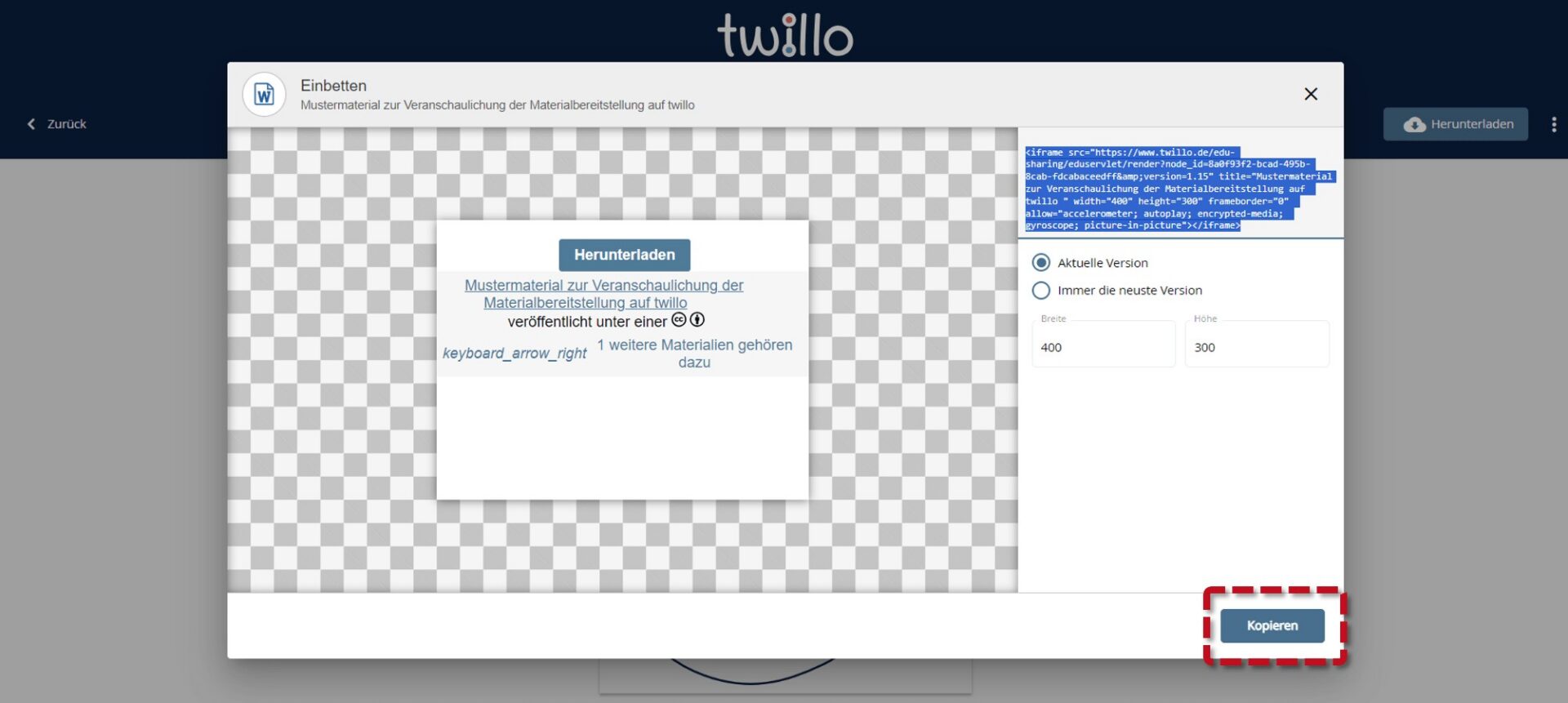
Open the material you would like to embed and click on the menu (three dots) in the header. Then select the Embed option. You can copy the embed code (iframe) in the following window.
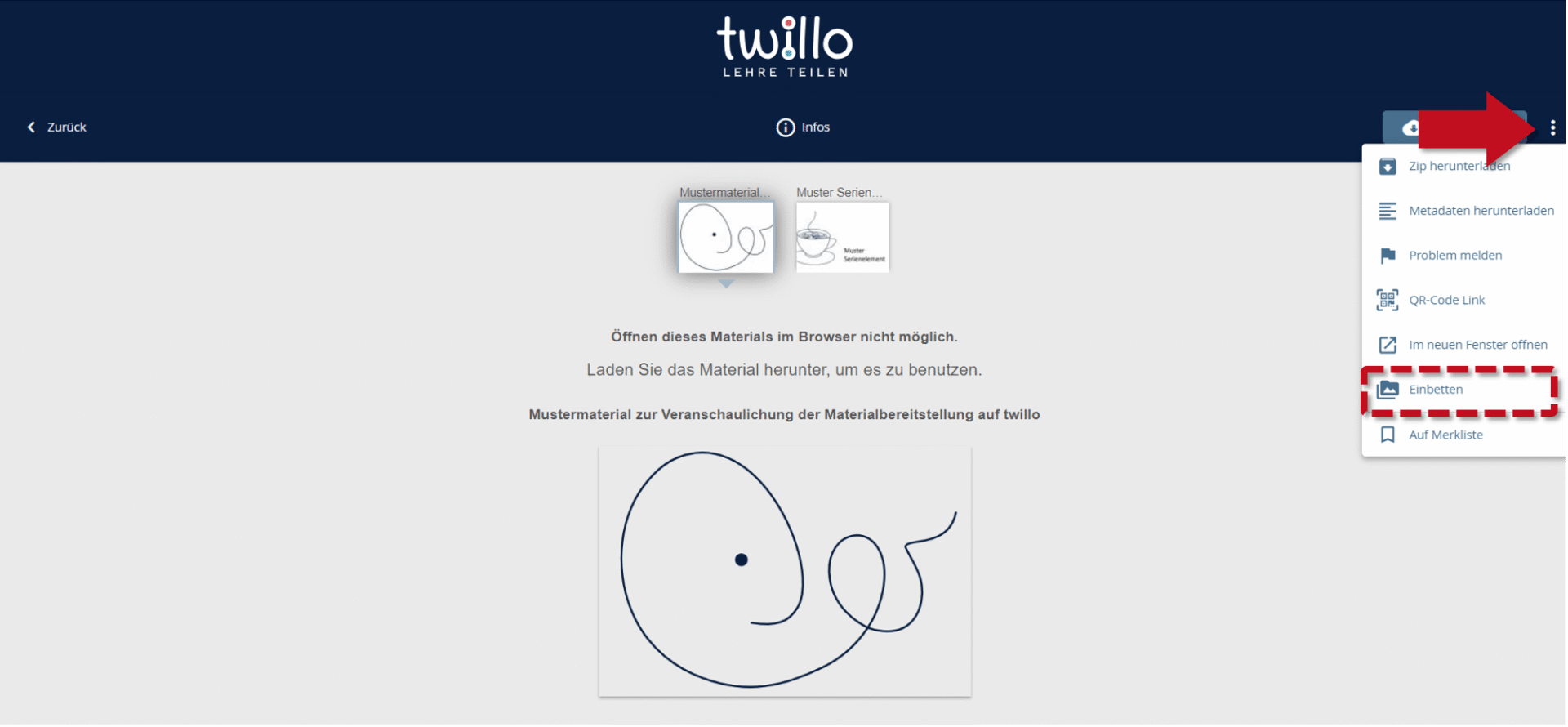
Menu opened: Red arrow points to three dots at the top right. The menu item 'Embed' is highlighted.

Embedding window opened: The 'Copy' button at the bottom right is highlighted.

Back to Helpcenter
Find Open Educational ResourcesFind OER